Rental Operations Toolkit
Track payments, refunds, turnovers, property issues and comparable vendor quotes.
For small rental operators who manage their own records.
- Rental Operations Workbook (.xlsx)
- Rental Operations Guide (.pdf)
- Fictional payment examples, weekly review, and license
The workbook covers reconciliation, turnovers, issues, vendor comparisons and weekly reviews. Examples distinguish guest balances from processor fees and cash. Use one currency per workbook and keep your original supporting records.
Clear examples. Room for your records.
An excerpt from the included workbook. All records shown are fictional; the working tables start blank.
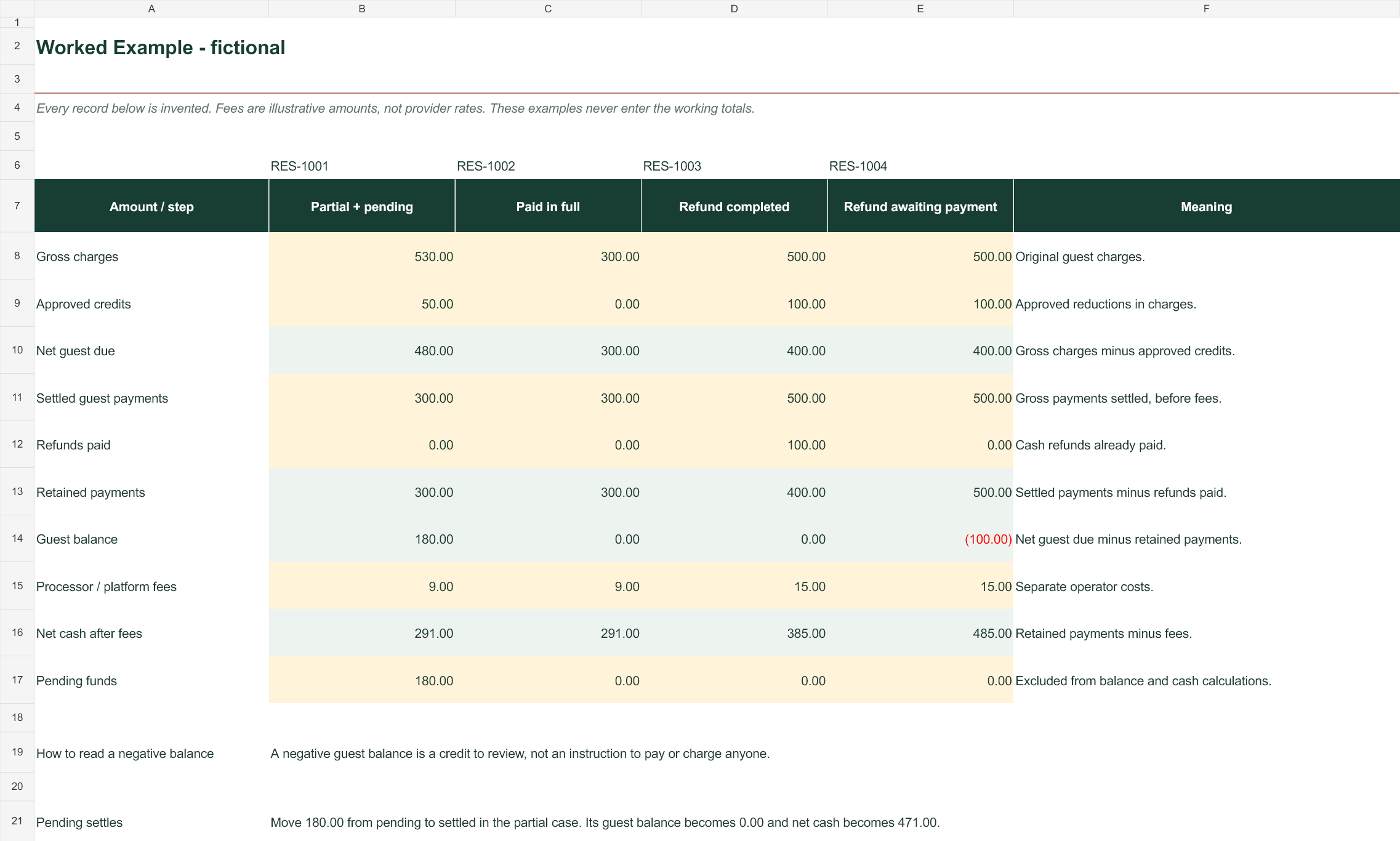
Select the preview to open it at full size.
Start with the next useful step.
- 01
Enter reservation charges and money actually received.
- 02
Track refunds issued and refunds actually paid separately; keep pending transfers visible.
- 03
Review turnovers, issues, comparable quotes and a dated weekly snapshot.
Before you buy
What software do I need?
A spreadsheet application that opens .xlsx files, a PDF reader, and a way to unzip a download. The files contain no macros. Excel is the recommended workbook editor; formatting and behavior can vary in other apps.
How can I use and share the files?
You may reuse the templates for properties you evaluate, own or manage. Share completed work with your advisers and co-owners for that work. You may not resell the templates or distribute blank copies. The full license applies.
Does the price include research or consulting?
The price covers the downloadable workbook and guide. You enter your own records. Property-specific title, legal, survey and tax questions require the appropriate local professional.
How do downloads and support work?
After successful payment, use the purchase page to download your ZIP and save a copy locally. Whop purchases are available in your Whop account. For access problems or refund requests, email management@ktjkrug.com with your receipt. Purchase terms and support.